
1. New home page
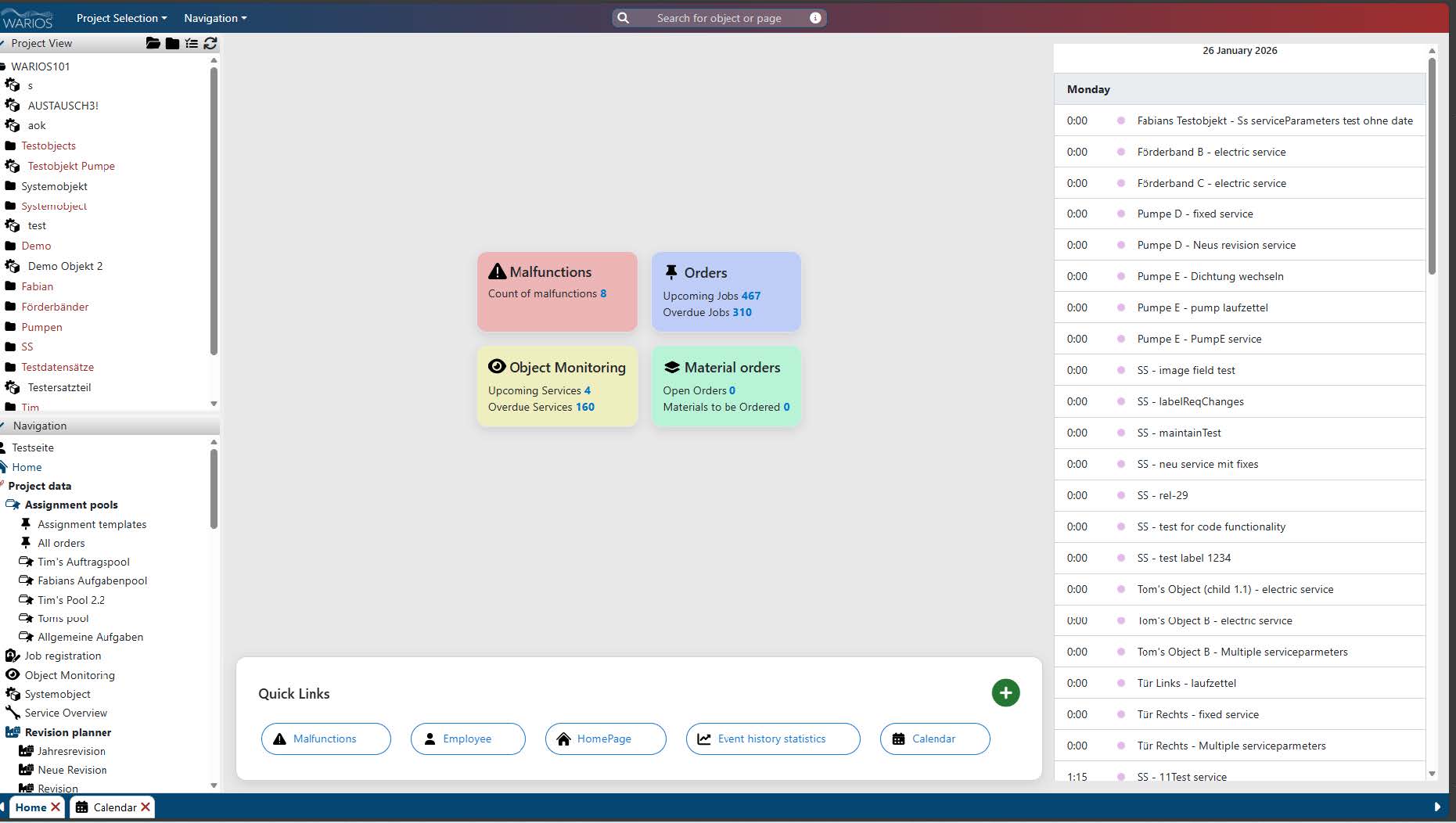
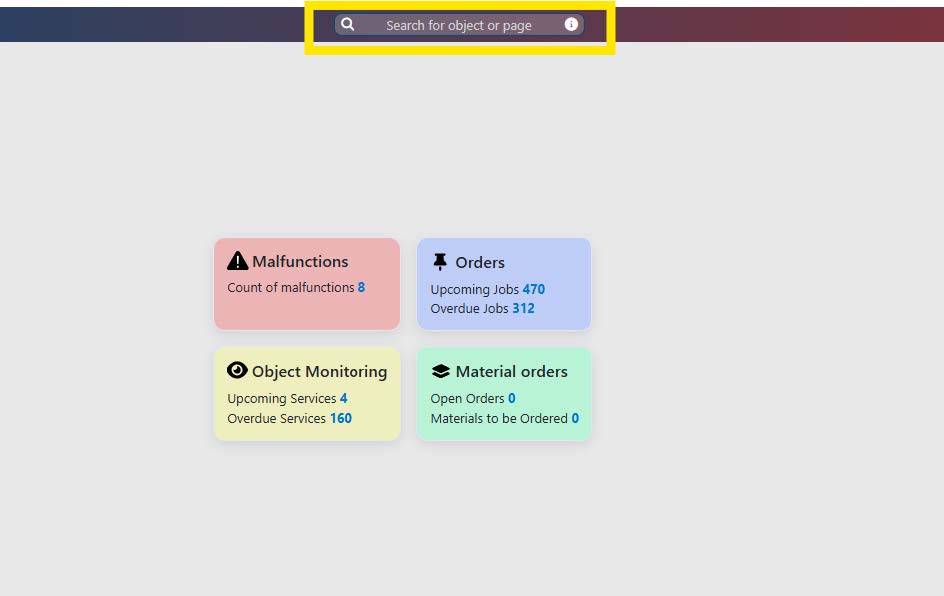
A home page has been added that summarises important information and allows quick navigation to the most important areas of the application. It contains the following sections:
- Overview cards: Show important key figures and statistics at a glance on the topics of
assignments, malfunctions, materials andobject monitoring. - Calendar: A personal calendar that displays upcoming jobs, maintenance and appointments.
- Quick access: Direct links to frequently used pages such as Object monitoring, Allassignments, Employees, etc. The quick access links can be customised by the user.
2. Standard date when processing jobs
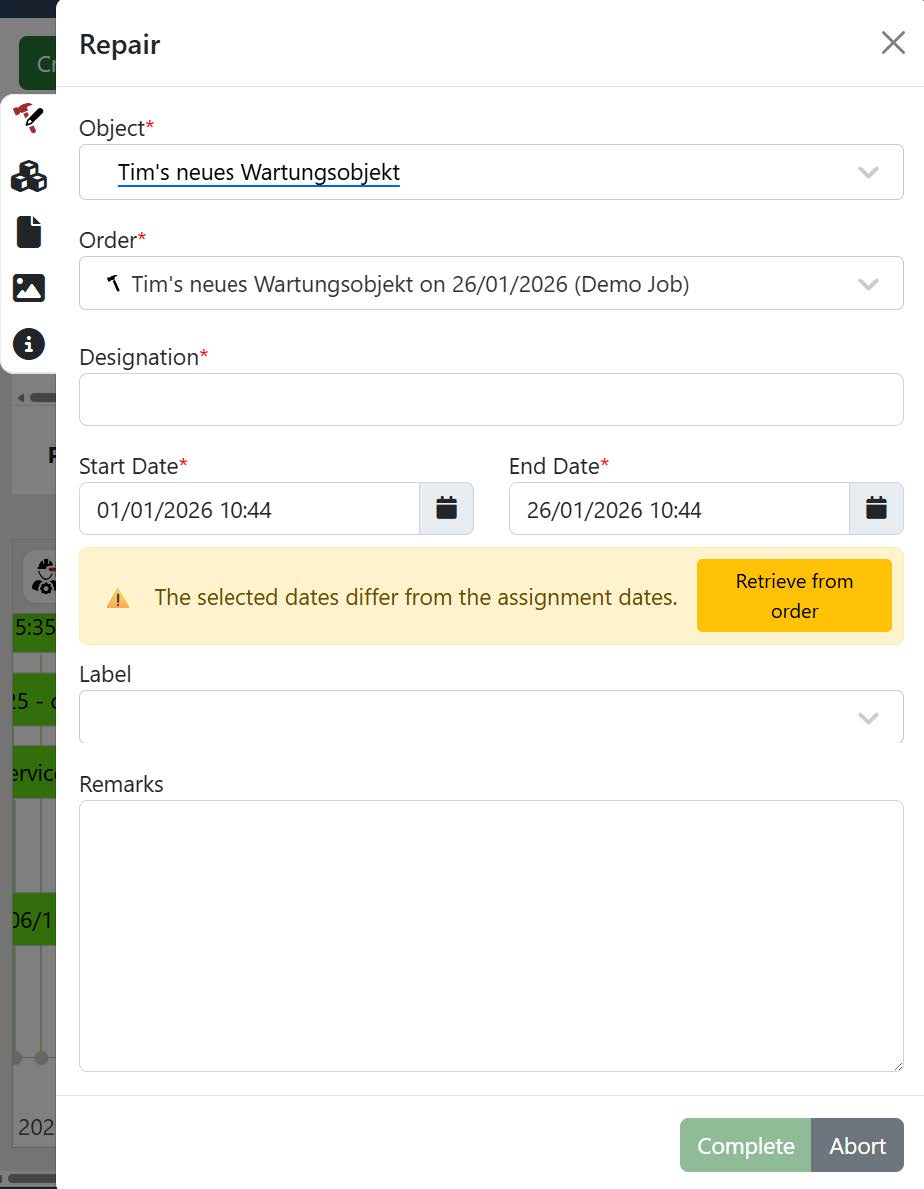
A start and end time must be specified for all jobs. Previously, the current date was pre-filled by the current date if there was no assignment, i.e. for quick maintenance or quick repairs. However, this was not the case for regular maintenance or repairs with an assignment. In these cases, the date of the job was pre-filled. To ensure a more consistent process, the current date is now pre-filled in all cases. However, the user is notified if the entered date differs from the planned date of the job. With one click, you can reset the date to the planned date of the job.
3. Service preparations
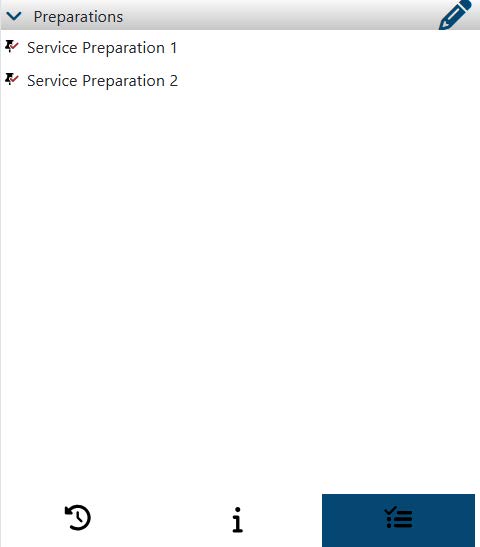
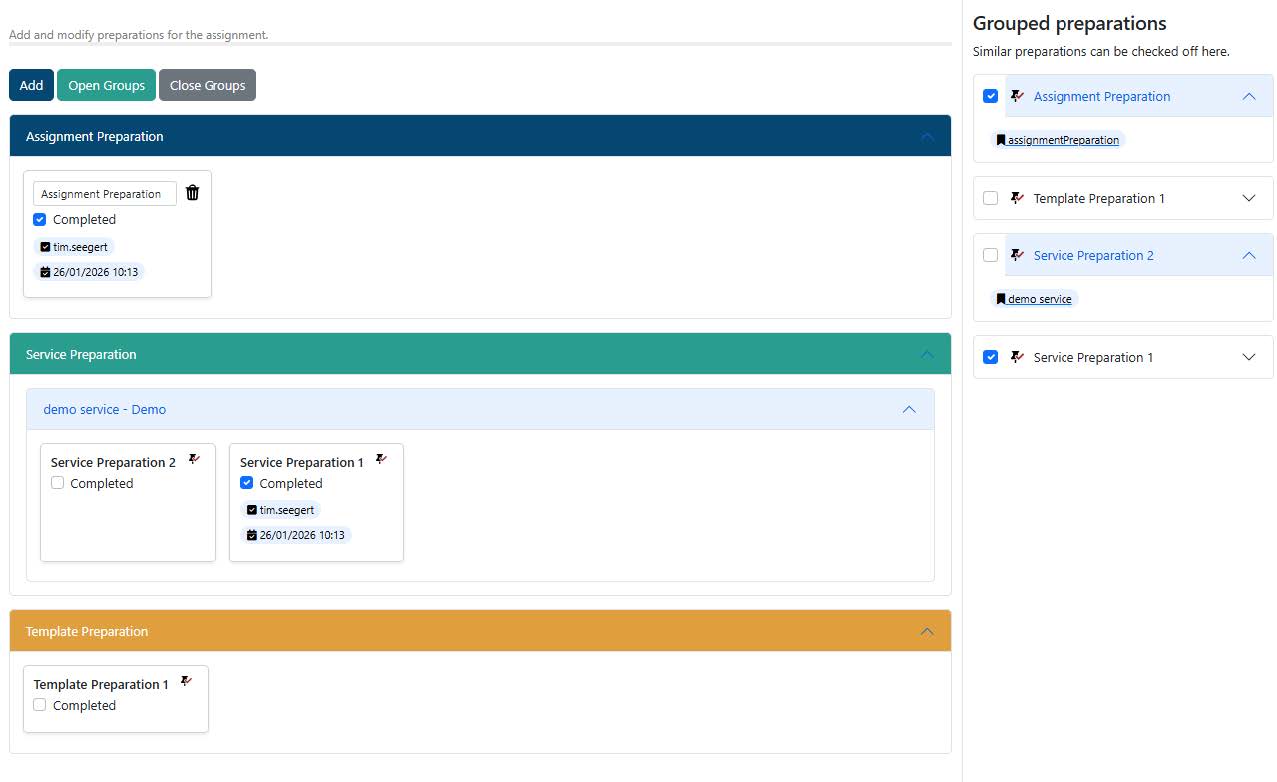
Services now have the option to define preparations. These are taken into account when planning jobs by automatically adding them to the assignment. The assignment planner must now first confirm these preparations before the actual job can be executed. This ensures that all necessary steps are completed before the service is performed. An assignment can only be executed once allpreparations have been completed.
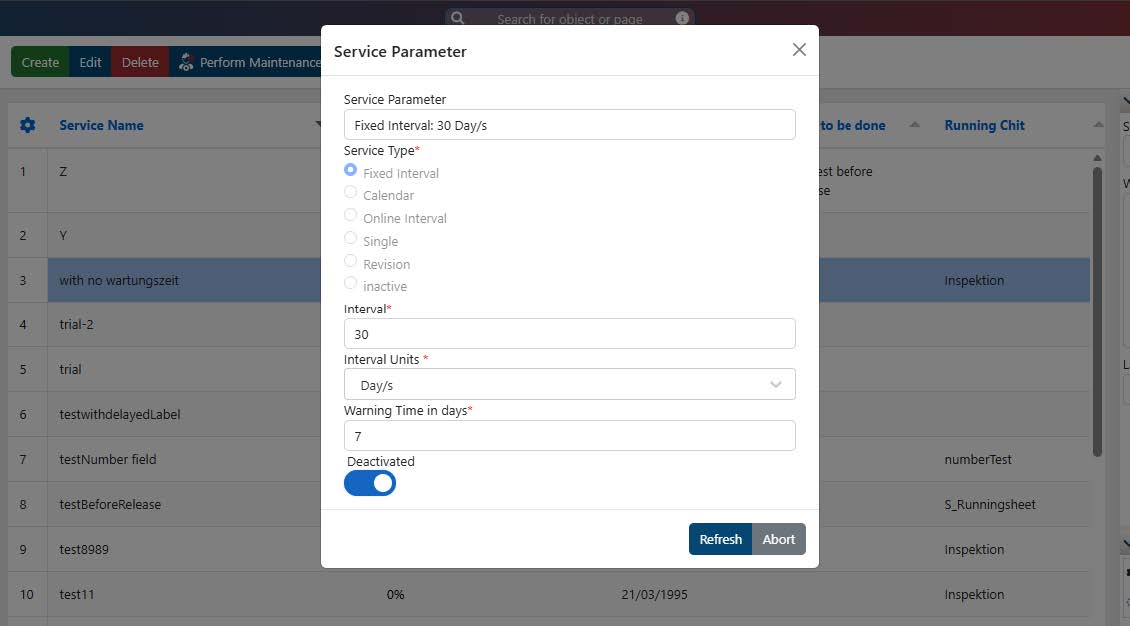
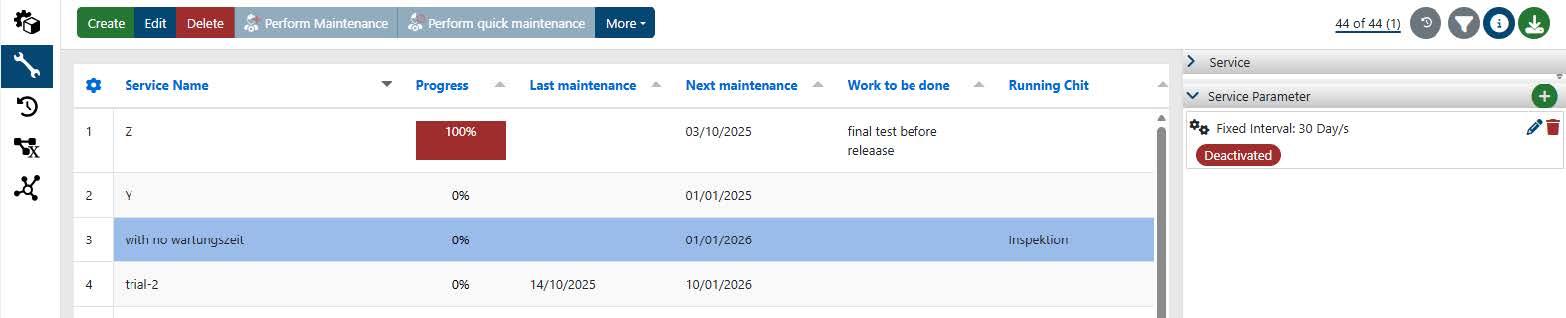
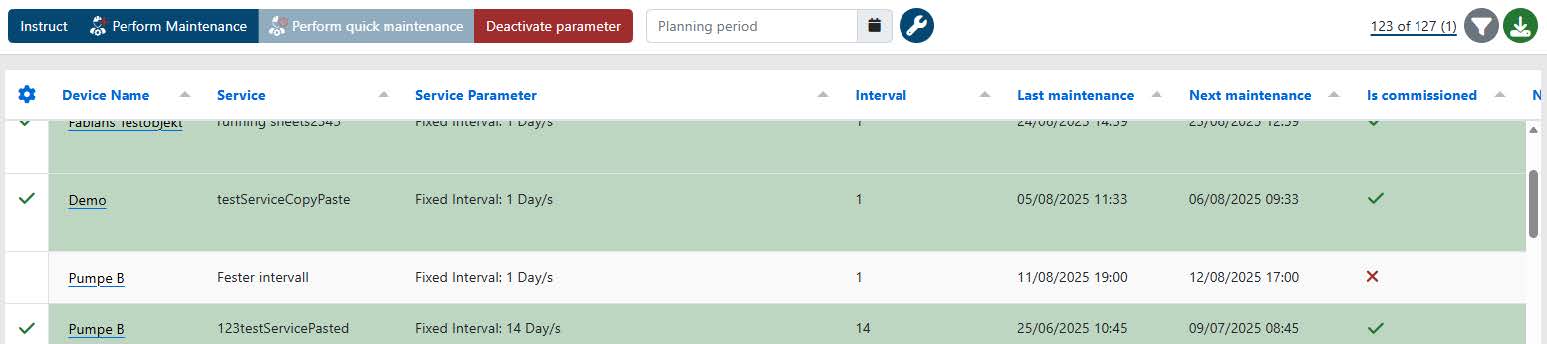
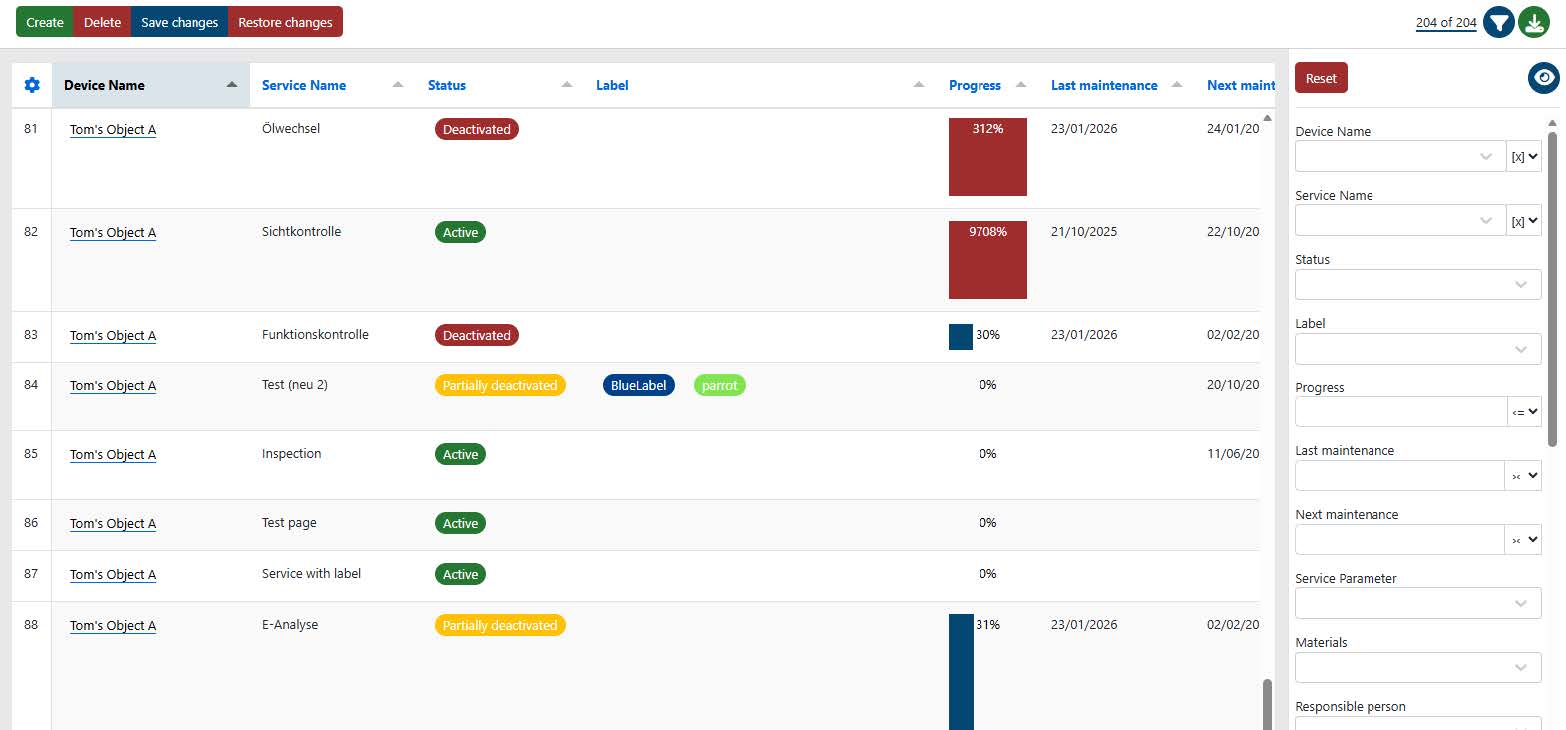
4. Deactivation of service parameters
The option to deactivate service parameters has been added. Deactivated service parameters are no longer taken into account when planning jobs and do not appear in object monitoring. This allows for better management and organisation of service parameters by hiding parameters that are no longer needed or are obsolete without deleting them completely. Once a service has deactivated parameters, its status changes from ‘Active’ to ‘Partially deactivated’ (if only some parameters are deactivated) or ‘Deactivated’ (if all parameters are deactivated). This makes it easier to identify the current status of a service at a glance.
5. Search field adjusted
The search field in the top centre has been visually adjusted to highlight its function. It is now displayed as an actual field with placeholder text. A tooltip continues to indicate that the search can also be opened with the keyboard shortcut Ctrl + K.
6. Automatically assigned number for malfunctions
Each malfunction that is generated is assigned an automatically incrementing number. This number serves to improve the identification and tracking of malfunctions within the system. The number is displayed in the malfunction selection and on the malfunction page. This facilitates the communication and documentation of malfunctions, especially when several malfunctions have to be managed simultaneously.
7. Improved message for emergency service (dead man’s switch)
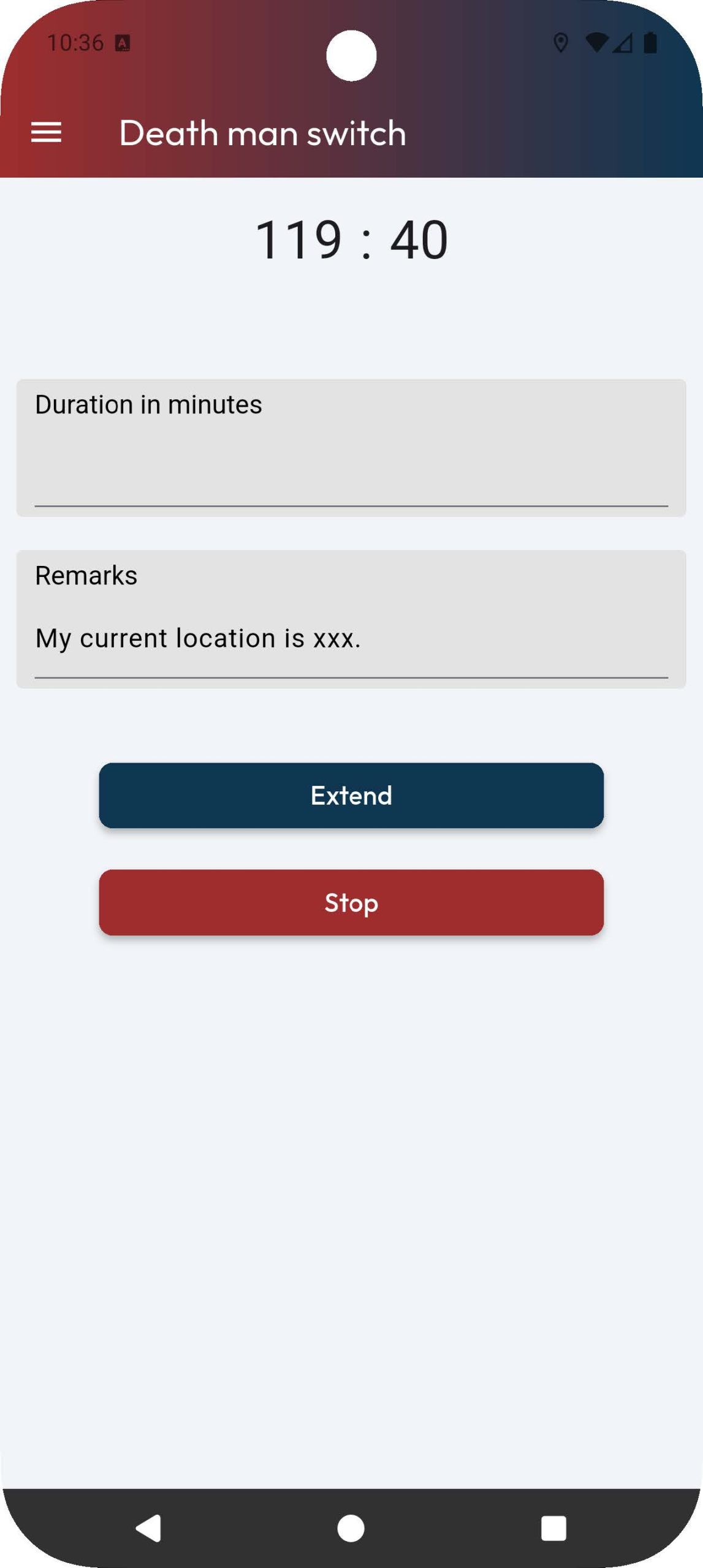
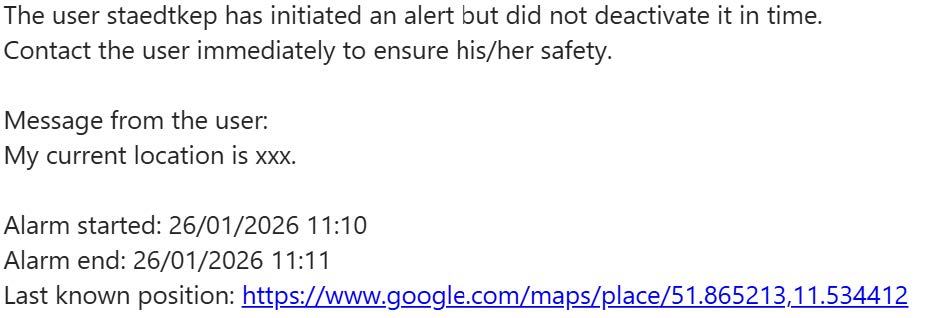
When activating an emergency timer, you must now enter a message informing potential recipients of your activities in addition to the expiring time. This message, including the latest location data, issent to the recipients of the emergency task when the emergency timer expires. This ensures that recipients are informed of the situation and can respond accordingly.
8. Dynamic Y-axis on the variable data page
The Y-axis on the variable data page now dynamically adjusts to the data displayed. This means that the scale of the Y-axis is automatically set to optimally represent the range of the current data. This improves the readability and interpretation of the data, as the scale is always adjusted to the actual values. This makes it easier for users to identify trends and patterns in the data and make informed decisions. This change primarily affects charts with large values, which were previously difficult to read with a 0-based Y-axis.
9. Planned maintenance duration of the serviceis no longer a mandatory field
The Planned maintenance duration in hours field for a service is no longer a mandatory field. This allows users to create or edit services without having to specify a planned maintenance duration. This change provides more flexibility in managing services, especially in cases where the maintenance duration may vary or cannot be determined in advance. The value 0 hours remains avalid entry.
10. Correct description of object deactivation
All buttons related to object deactivation have been revised to clarify that the object is not deleted, but only deactivated. This is to avoid misunderstandings and ensure that users understand that deactivated objects still exist in the system and can be reactivated if necessary.
11. Improved performance when loading objectmonitoring
Object monitoring is used in many places, such as the project view, the calendar, the service overview or the object monitoring page, and is therefore a central component of the application. To improve the user experience, the loading time for object monitoring has been significantly reduced. This allows users to access the information they need more quickly and complete their jobs more efficiently. This also applies to the initial loading time when entering the website.
12. Display of linked emails for malfunctions
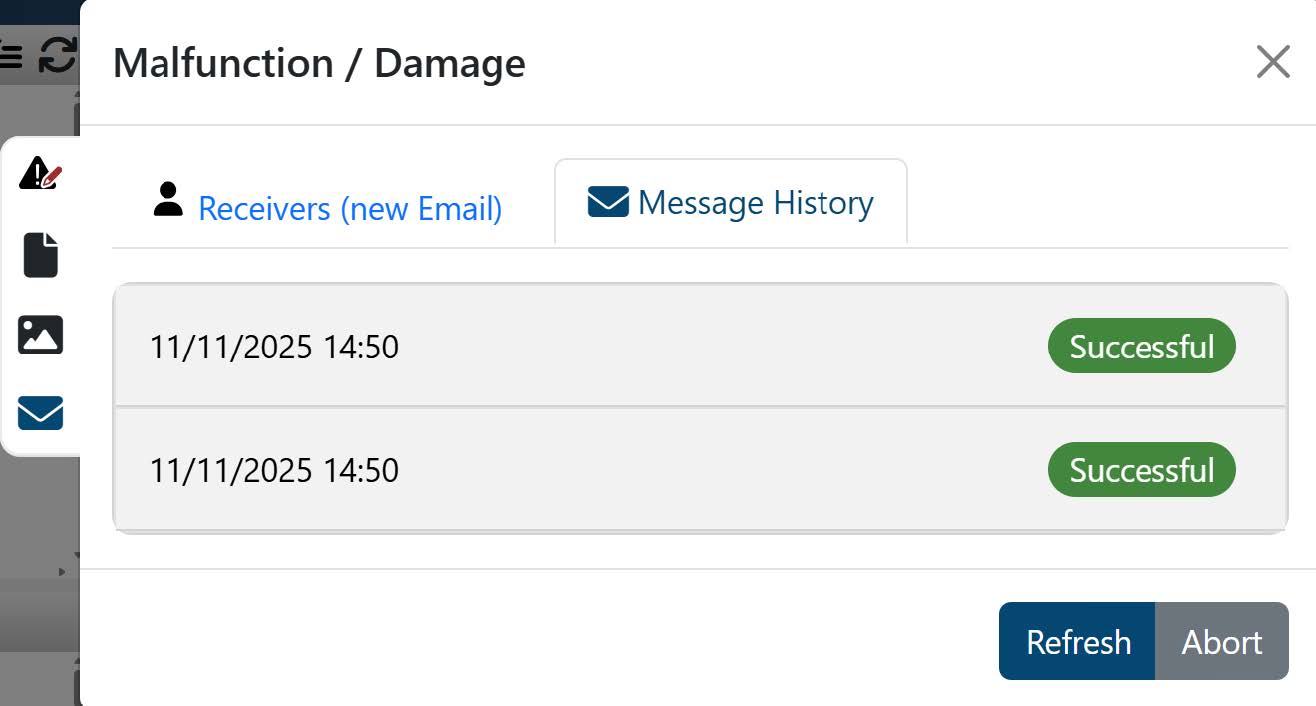
The malfunction window now displays emails linked to the creation or editing of a malfunction. This allows users to view all relevant communication details related to a malfunction in one place.
13. System jobs Tab
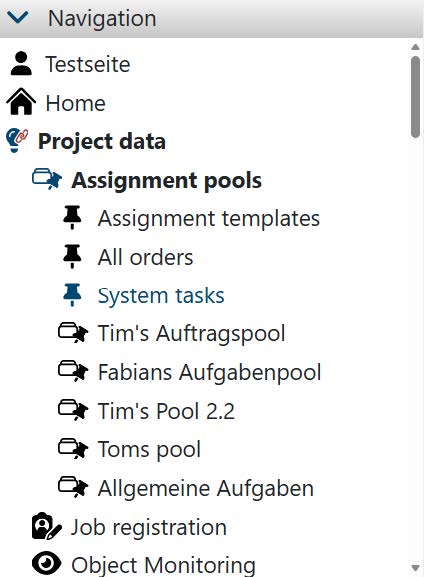
If a system object has been defined in the project, the System jobs tab appears under the Assignment pools tab. The function of this page corresponds to that of the assignment tab on the system object page and is only intended to facilitate even faster navigation.
14. Bug fixes / improvements
- When saving coordinates via the app, longitude and latitude were swapped
- Date selection fields now validate incorrect manual entries correctly
- Date selection fields now also allow manual overwriting of the year within pop-ups
- The search field is no longer visible in the project selection
- When ordering materials, materials can no longer be added multiple times
- When creating orders via an order pool page, the order pool is now correctly preselected
- Bug fix for redisplaying previously hidden entries in the navigation
- Bug fix for displaying revision parameters
- Validation and display in the order window when an open repair order is linked to a fault that has already been completed
- Bug fix for installation of spare parts
- Bug fix to prevent closing modals with ESC button