
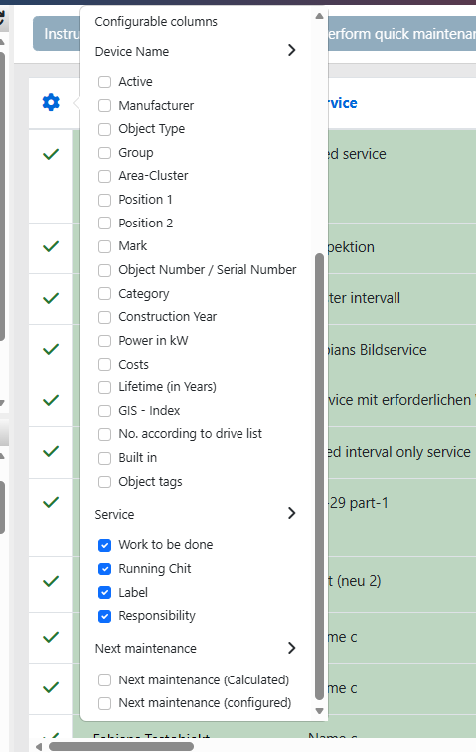
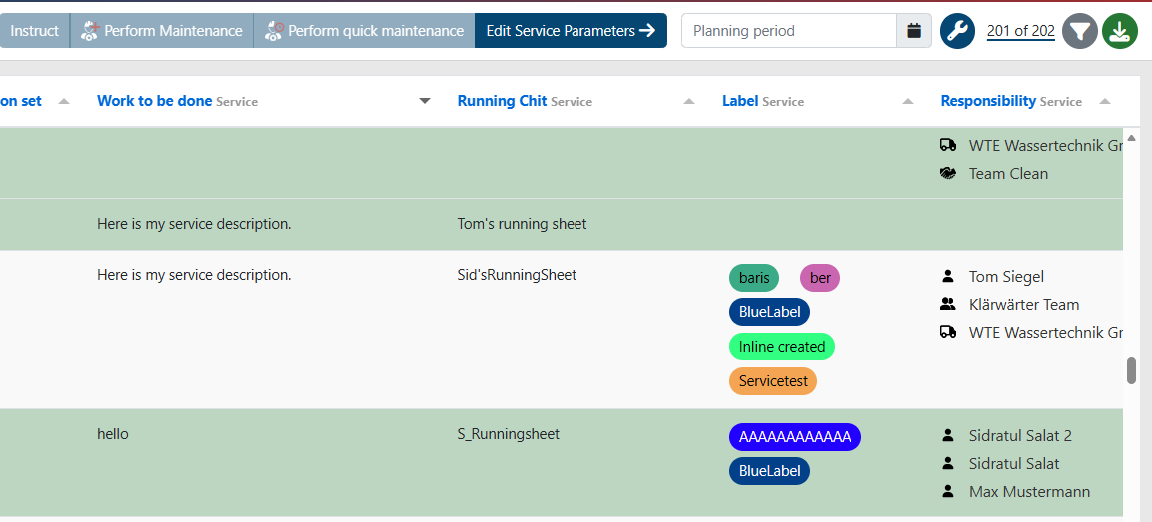
1. Dynamic Service Columns
2. Deletion Notifications in the Assignment Page
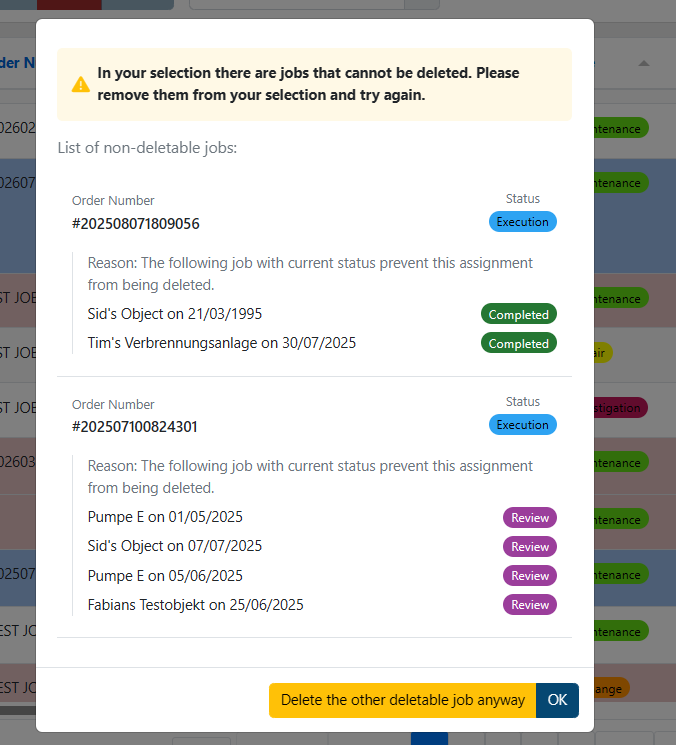
Users can still delete the entries that are allowed directly from the notification modal.
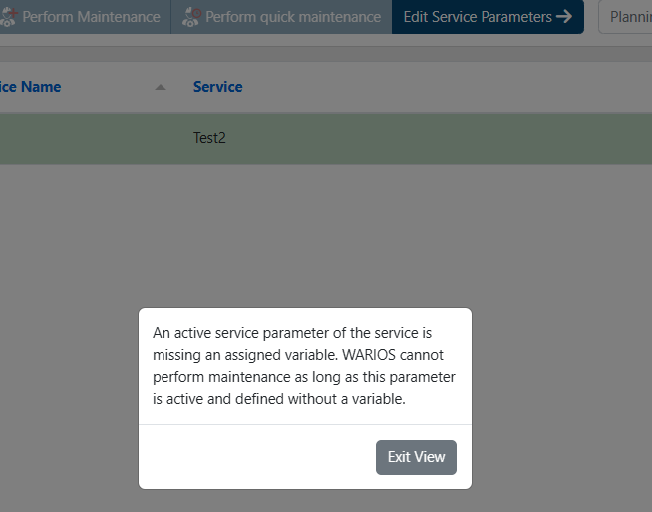
3. Maintenance notifications for bad parameters
4. Revision Feature Enhancements
The revision feature is now easier to use and supports planning all job types, not only maintenance.


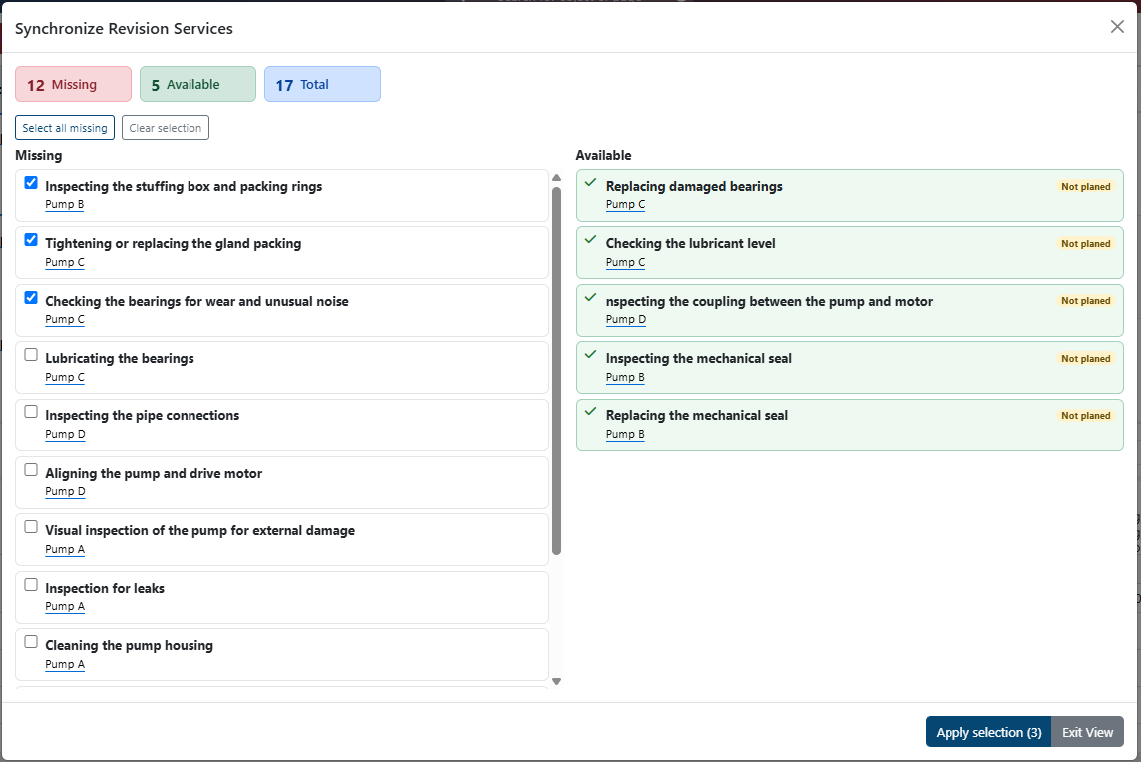
20 pending services / all services synchronized / revision synchronization modal
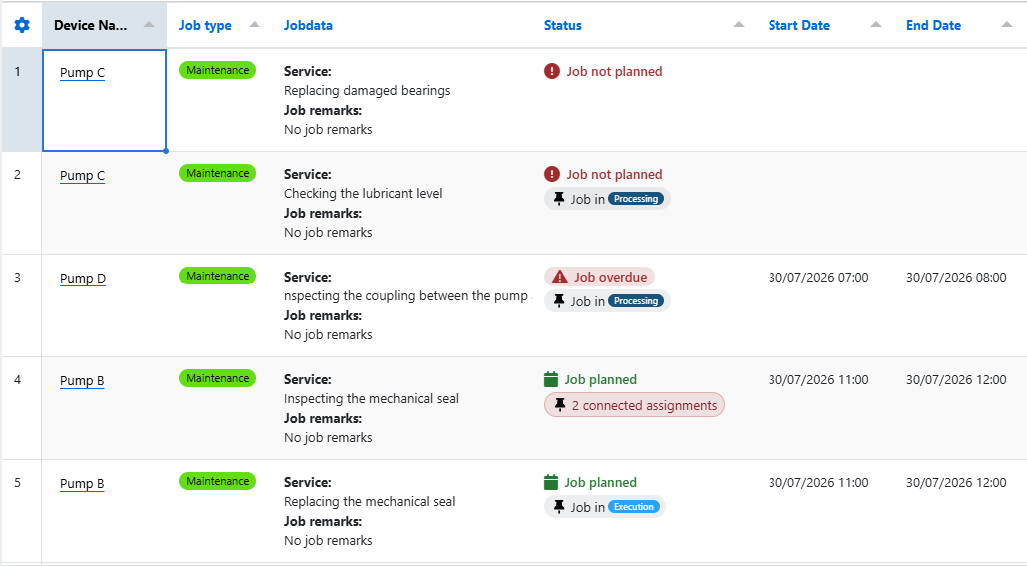
Status Field: A status column has been added to the Revision Planner table. It shows the status of the created job and can be used to open the linked assignment.
More Efficient Calendar Workflows: Calendar entries in the Revision Planner have been improved. The eye icon jumps to the related table row. The pencil icon opens a dialog for editing the entry.
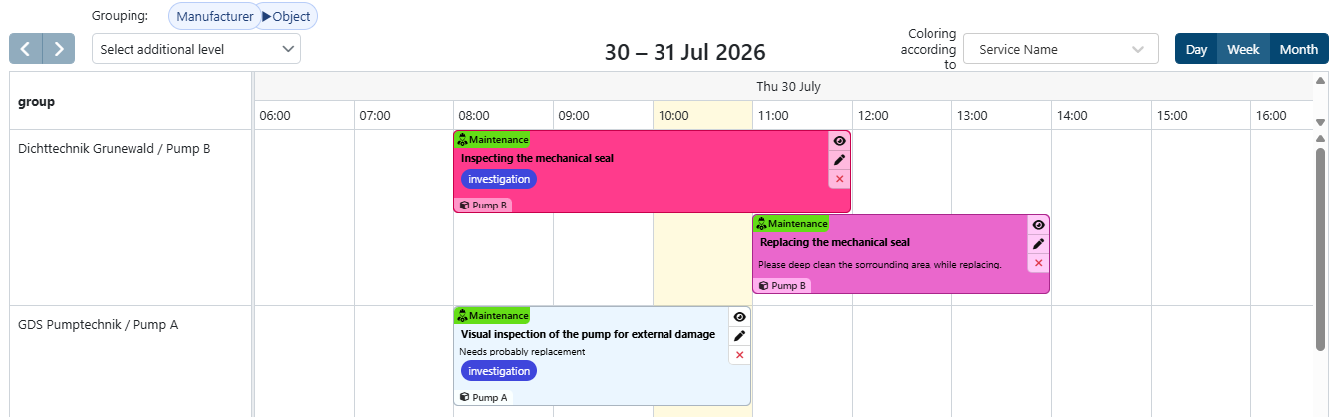
Multi-Level Grouping: Grouping now supports up to four levels. The image above shows an example with two levels.
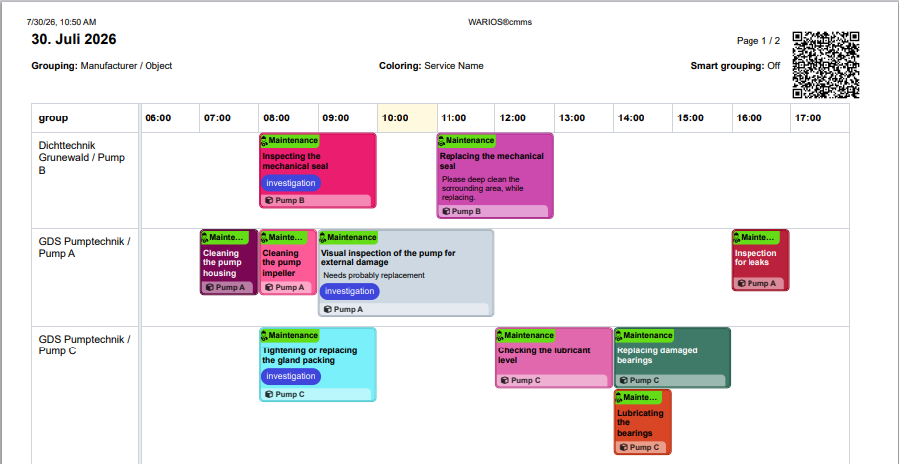
Printing the Revision Plan: Revision plans can now be printed. Settings such as layout, time period, and color scheme can be adjusted for the printout. A QR code can be used to view all tasks in the WARIOS|CMMS app.
Managing Linked Assignments: Assignments and jobs created from the Revision Planner can now be viewed in a new dialog. Incorrect assignments can be deleted there. The dialog also shows whether a task was commissioned more than once.
Predefining Tools and Materials: Tools and materials can now be predefined in the planner. They are transferred to the job when the assignment is created.
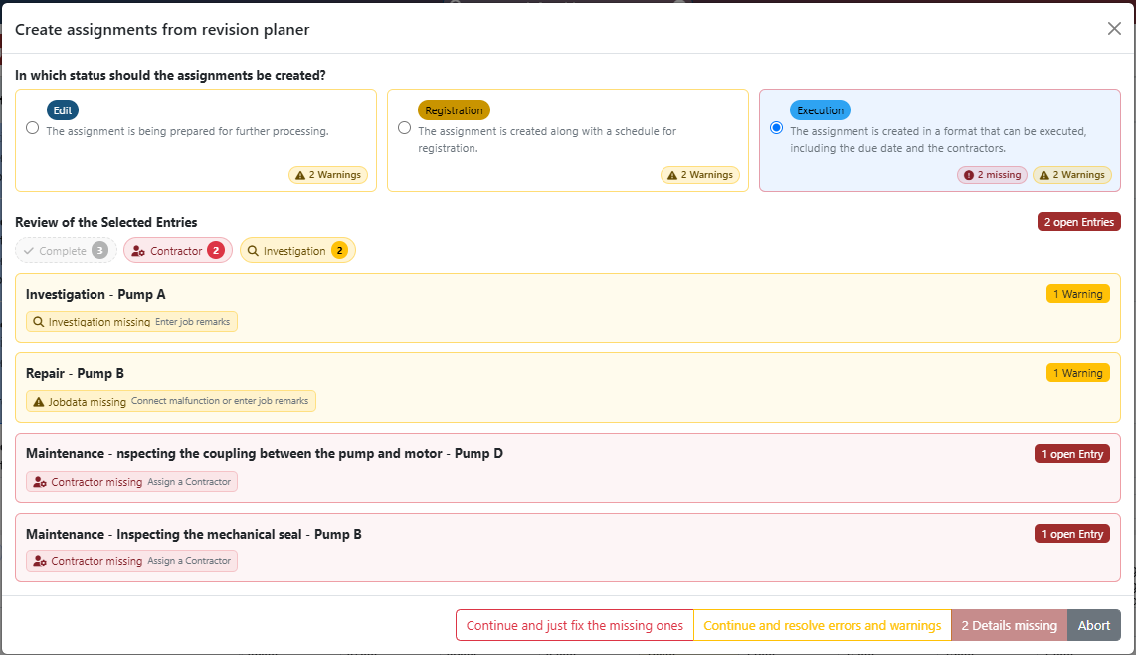
Completely Redesigned Assignment Creation Dialog: The dialog for commissioning planned jobs has been simplified.
The first step lets users select the status for the new assignments and shows which data is missing. Required data, such as the contractor, must be entered when needed.
Warnings can be skipped.
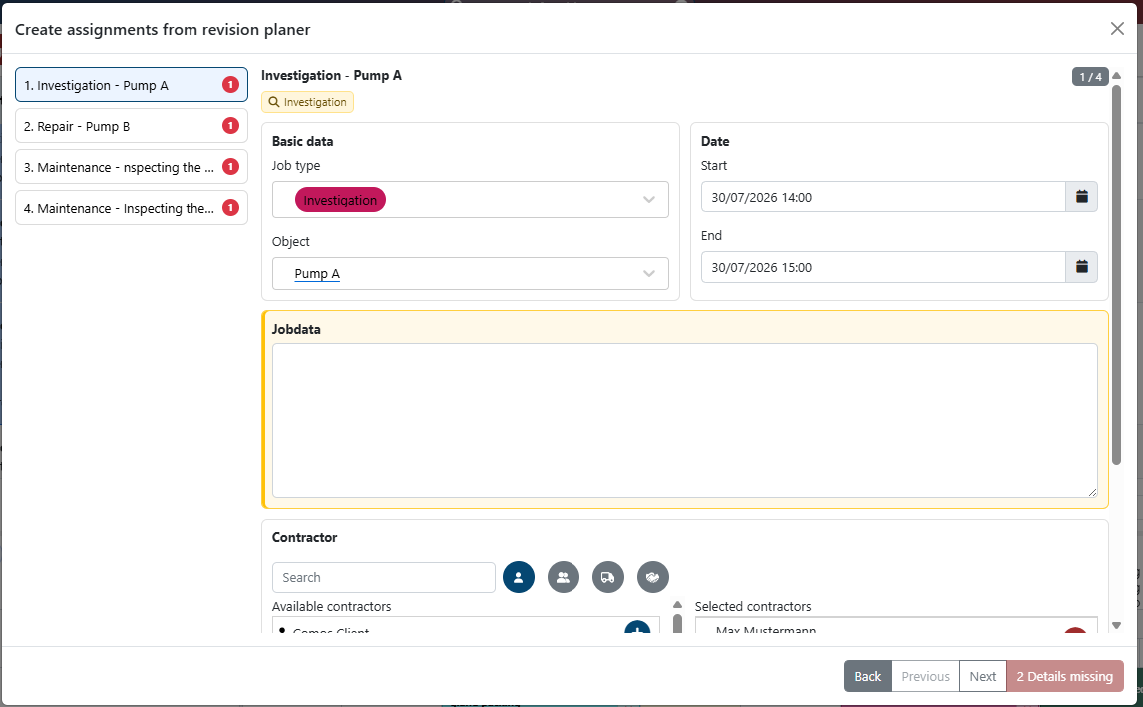
Incomplete assignments can be reviewed one by one in a separate view. Missing data is highlighted.
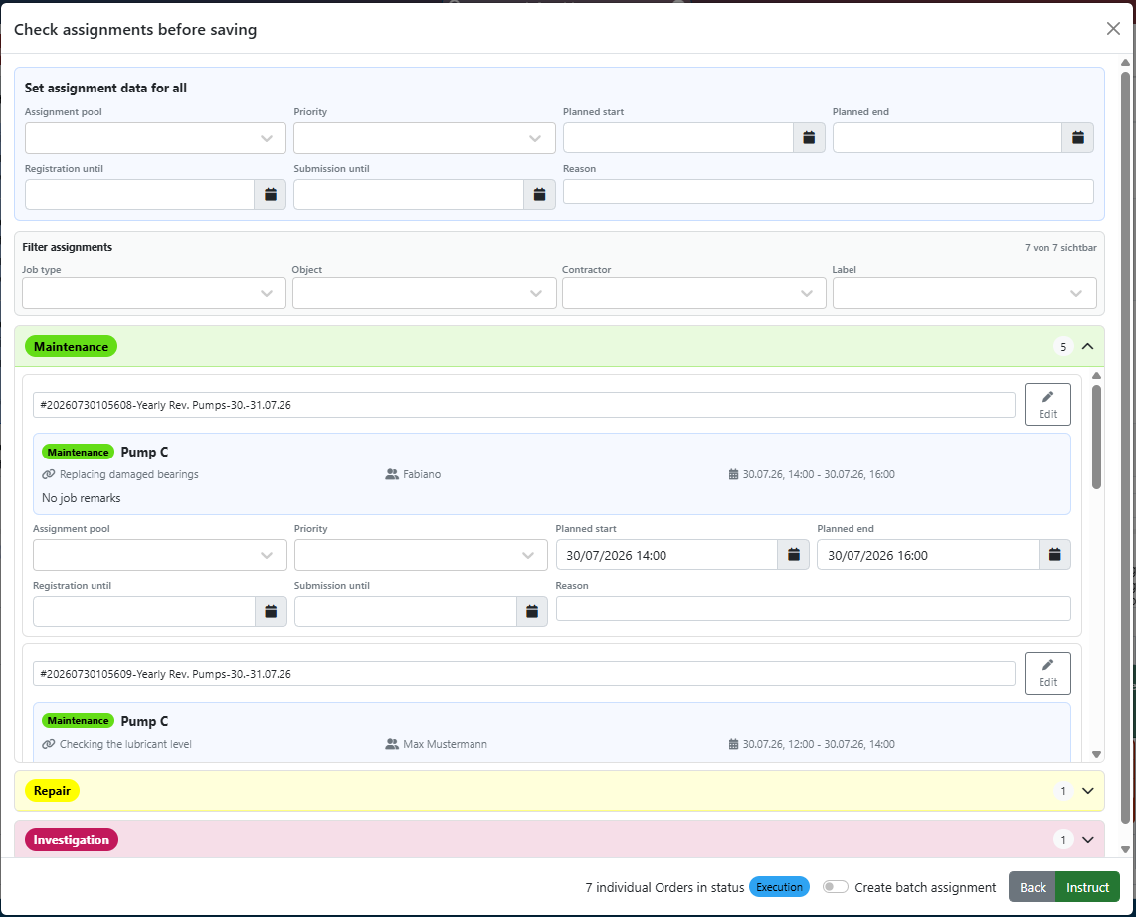
On the final page of the modal, assignment data can be adjusted. Individual entries can be edited, or the form at the top can be used to update all visible assignments at once. Filters can be used to limit which assignments are updated.
Additional Improvements:
- User settings, such as grouping, the selected revision period, print settings, and sorting, are saved automatically.
- Differences between commissioned jobs and planned entries are shown to help prevent tasks from being overlooked.
5. Running Sheet Reports Trigger Reactions
6. Calculating the next maintenance using an
activation date
Bug Fixes & Improvements
- Fixed an issue that allowed materials to be added to a job while in Review Mode.
- Removed the Add button from the File tab in the Assignment Window when in View Mode.
- Improved Excel exports for the History and Assignment pages to ensure data is downloaded in the correct format.
- Fixed an issue with the positioning and closing behavior of the File Browser dropdown menu.
- Fixed an issue in the Assignment modal affecting date and contractor selection in View, Execution, and Registration modes.
- Fixed an issue with filtering by Empty values.
- Fixed an issue on the Teams page when connecting or removing teams via modal. Fixed an issue where warehouses could not be renamed.
- Fixed validation in the stock transfer modal.
- Fixed an issue where inactive service parameters could be selected on the service parameter page.
- Added a view mode to the job request view in the assignment modal.
- Fixed an issue where the length of a running sheet name was not validated.
- Fixed an issue where a new category could have only a space as its name and was connected to every object.
- Fixed an issue where an input mask did not show the connected objects.
- Fixed an issue where the employee page had to be reloaded to show newly connected teams.
- Fixed an issue where overdue objects in the project view kept their overdue color after maintenance was performed.
- Fixed an issue where object pictures and tags could be added to deactivated objects.